
Yes, most LED strip lights can be cut, but only at specific cut points designed into the circuit. Cutting a strip in the wrong place can stop sections from working, create flicker, or damage the copper traces. The right approach depends on the strip type, voltage, waterproof structure, and how you plan to reconnect or terminate the cut end. If you are building a lighting project, learning how to cut and finish strips correctly also improves safety, brightness consistency, and long-term reliability.
This guide explains when LED strips can be cut, where to cut, how to seal and reconnect, and the mistakes to avoid. To explore strip types and project-ready options, visit the GMH LED light strip range.
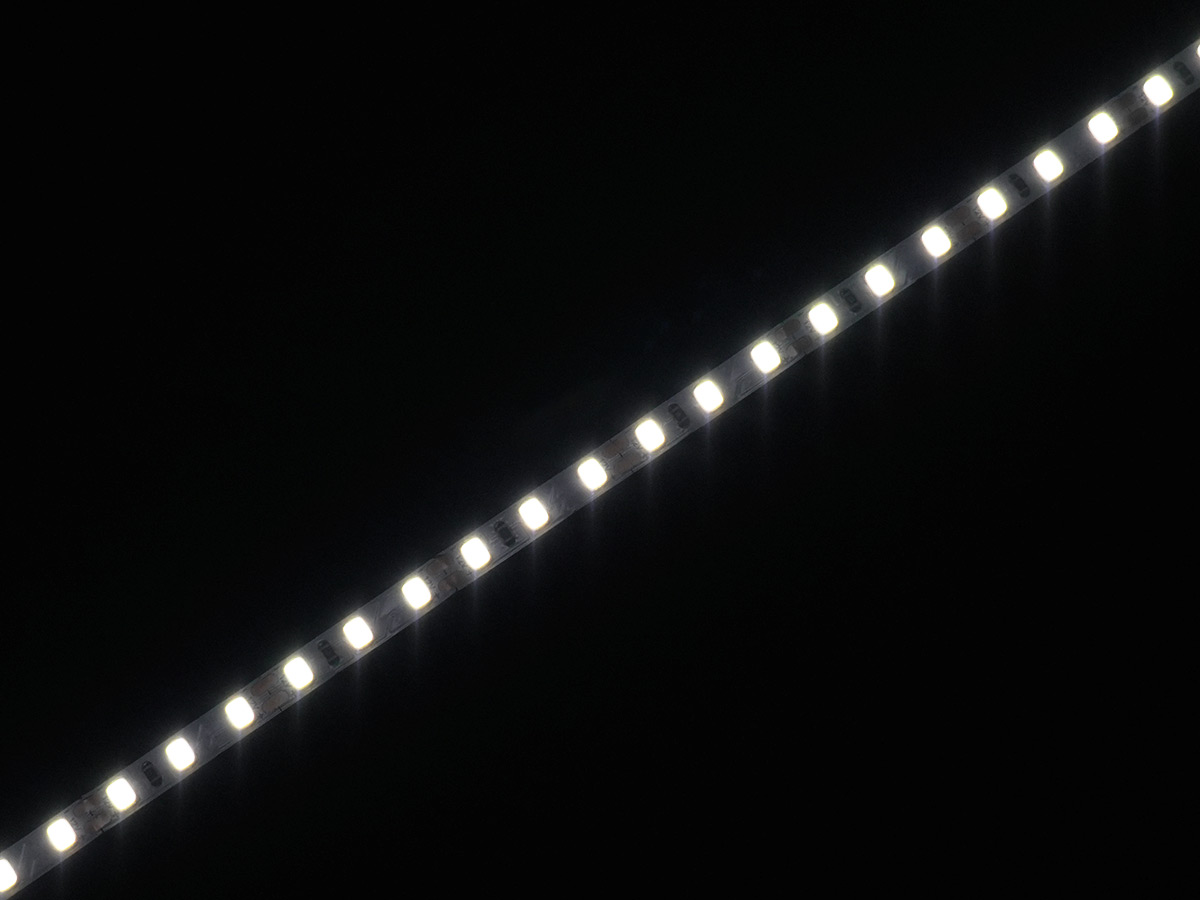
LED strips are printed circuit boards with repeating electrical segments. Each segment contains:
One or more LEDs
Resistors or current-regulation components
Copper pads for power and signal
Marked cut lines
When you cut at the marked line, you separate complete segments so each side still has a functional circuit end. If you cut between segments, you break the circuit path and the strip section may not power correctly.
Most strips have a scissor icon, a dotted line, or a straight line between copper pads. That is the only safe cutting location. The copper pads are also where connectors or solder joints attach.
General rule:
Cut exactly through the center of the marked line between pads.
Leave enough pad area so a connector or solder joint can make solid contact.
Different strips have different segment lengths. Your minimum cut increment is determined by the strip design:
Many constant-voltage strips have short repeating sections.
Addressable strips can require special attention because the signal direction matters.
High-voltage strips may have longer cut intervals and different termination rules.
Always confirm the cut interval before planning a layout, especially for long linear installations.
These are the most common for interior and architectural lighting. They are generally easy to cut at marked points and reconnect using solder or clip-on connectors. Voltage selection affects current level and voltage drop behavior, but the cutting method is similar.
COB strips create a more continuous line of light. They can still be cut, but the cut points may be smaller or less obvious. Cutting must be clean so the phosphor area does not tear and expose uneven light edges.
Addressable strips include data lines and directional behavior. Cutting is possible only at designated points, and you must maintain:
Correct input and output direction
Data continuity
Proper controller compatibility
If the strip uses data arrows, always keep the arrow direction consistent in your installation.
Waterproof versions usually have a silicone sleeve or a coating. You can cut them, but you must reseal the cut end to maintain water resistance. Failing to reseal can lead to corrosion and early failure.
Power off and unplug everything
Never cut a strip while powered. Disconnect the power supply and controller.
Measure twice and mark your cut point
Lay the strip flat and identify the nearest cut mark that fits your required length.
Cut with the right tool
Use sharp scissors for non-waterproof strips. For thicker waterproof sleeves, use a sharp utility blade and cut slowly.
Cut cleanly through the marked line
A clean cut helps connectors fit correctly and reduces the risk of copper pad damage.
Test the strip section before final installation
Connect temporarily and confirm it powers evenly without flicker.
Finish the cut end
Use an end cap, heat shrink, or sealing method appropriate for the strip type.
You have two main methods: connectors or soldering.
Connectors are fast and convenient for many indoor projects. To improve reliability:
Ensure the connector matches strip width and pad type
Align positive and negative correctly
Confirm the copper pads sit fully under the connector contacts
Add strain relief so the connector is not pulled by cable weight
Soldering is preferred for long-term reliability and for installations with vibration, heat cycles, or frequent handling. Key tips:
Use a clean soldering tip and rosin-core solder
Tin the copper pads and wire ends first
Keep solder joints low-profile to fit channels and diffusers
Add heat shrink or silicone protection after soldering
For project installations, many buyers standardize on soldered pigtails plus quick-connect cabling to speed onsite work.
If your strip is IP-rated due to a coating or sleeve, sealing is required after cutting.
Common sealing steps:
Dry and clean the cut end thoroughly
Apply neutral-cure silicone or the manufacturer’s sealing glue
Insert an end cap firmly, then seal around the edge
Allow full curing time before exposure to moisture
A waterproof strip that is cut but not sealed may still work initially, but moisture can enter and cause corrosion, flicker, or color shift over time.
Cutting between marked points
This often breaks the circuit and causes partial failure.
Ignoring polarity and direction
Reconnecting with reversed polarity can damage the strip or power supply. Addressable strips also require correct data direction.
Not planning for voltage drop
Long runs can become dimmer at the far end. Cutting and feeding power from both ends can improve uniformity in longer layouts.
Using the wrong connector size
Mismatched connectors cause poor contact, heating, or intermittent flicker.
Skipping sealing on waterproof strips
Water resistance is only maintained when the end is resealed correctly.
| Strip Type | Can It Be Cut? | Where To Cut | Reconnection Method | Cut-End Finish |
|---|---|---|---|---|
| 12V/24V constant-voltage | Yes | Marked cut line between pads | Connector or solder | End cap, heat shrink if needed |
| COB strip | Yes | Marked cut point | Prefer solder for clean finish | Protect cut edge, keep uniform line |
| Addressable strip | Yes, with care | Marked point only | Solder or matched connector | Maintain direction and data integrity |
| Waterproof strip | Yes | Marked point | Connector or solder | Seal with end cap and silicone |
If you know you will need precise lengths, frequent cuts, or tight corners, select a strip type that supports:
Short cut intervals for flexible sizing
Reliable pad design for connectors or soldering
Compatible accessories such as end caps and corner connectors
Stable brightness and color consistency for long runs
For OEM and ODM projects, it is also common to pre-cut and pre-wire strips to reduce onsite labor and ensure consistent assembly quality.
Most LED strip lights can be cut, but only at the marked cut points. Cutting correctly protects the circuit, makes reconnection easier, and helps the strip perform reliably over time. Always power off first, cut cleanly through the marked line, test before final installation, and seal the end if the strip is waterproof. For long runs, plan power injection to prevent dimming and maintain uniform brightness.
To explore strip types and installation accessories, visit the GMH LED light strip range. If you have questions about cut intervals, waterproof sealing, connectors, or project specifications, contact GMH for guidance. We can help you choose the right strip configuration and support stable supply for your lighting application.
Previous: How To Fix LED Light Strips?